Baseus Joystar 9-in-1 USB-C Hub (Open Box) for $34
9-in-1 USB-C Hub That Turns Your Laptop Into a Full-Fledged Workstation
Take your productivity and entertainment to the next level with the Baseus Joystar 9-in-1 USB-C Hub — the ultimate all-in-one solution designed to expand your laptop’s potential. This sleek and portable hub converts a single USB-C port into nine versatile connections, giving you everything you need for work, play, and creativity. Enjoy breathtaking visuals with dual HDMI support, including 4K at 120Hz on a single display, while keeping your workflow smooth with ultra-fast USB-A 3.0 ports, a reliable gigabit Ethernet connection, and quick access SD/TF card slots. Stay powered during it all with the PD charging port that ensures your laptop never runs out of energy, even when multiple devices are connected.
Compact enough to fit in your bag yet powerful enough to replace a desk full of dongles, the Baseus Joystar features a subtle icy-blue indicator light for a modern, polished look that matches your tech lifestyle. Whether you’re presenting, gaming, streaming, or multitasking across screens, this hub delivers seamless performance and convenience in one stylish package.
4.4/5 stars from customers with over 5,400 ratings* ★ ★ ★ ★ ★
*Ratings from Amazon
Power, speed, and performance you’ll love
-
High Refresh Rate Output: Enjoy up to 4K@120Hz on HDMI 1 (single display), backward compatible with 4K@60Hz, 2K@120Hz, and 1080p@60Hz.
-
USB-C Fast Power Delivery: Keep your laptop charged with the PD port that supports quick and efficient charging even while multitasking.
-
USB Expansion: Connect more devices with 2× USB 3.0 ports (500Mbps) and 1× USB 2.0 port (60Mbps) for keyboards, mice, and more.
-
Dual SD/TF Card Reader: Transfer files quickly with simultaneous reading at speeds up to 104 MB/s.
-
Gigabit Ethernet Port: Get a stable high-speed connection with up to 1000Mbps, backward compatible with 100Mbps/10Mbps.
-
Unique Indicator Light: A subtle icy-blue glow indicates hub activity without being distracting at night.
-
Award-Winning Design: Baseus products are built on innovation and creativity, earning patents and international design awards worldwide.
Important things to know before you plug in
-
USB-C Port Requirements: Ensure your laptop’s USB-C port supports Power Delivery, DP Alt Mode, and Data Transfer to unlock the hub’s full functionality.
-
Video Output Support: Not all USB-C ports handle video output — only those with the DP protocol can connect to external displays. DP1.4 supports up to 4K@120Hz.
-
Need Help?: If you’re unsure, contact our support team with your laptop’s brand and model for assistance.
-
Power Stability: When connecting multiple devices, plug in a power supply via the USB-C PD port for smooth operation.
-
MacBook Ethernet Setup: Enable LAN Ethernet by navigating to System Preferences → Network → “+” → USB 10/100/1000 LAN.
-
HDMI Connection Tips: If your HDMI signal is unstable, firmly reconnect the cable & ensure the hub is powered.
-
Direct Connection Only: Plug the hub directly into your laptop’s USB-C port. Adapters or converters may not work properly.
-
Windows 11 Users: After upgrading from Windows 10, update your laptop’s USB-C interface driver if the hub isn’t detected.
-
Long-Term Use: Some laptops with over-discharge protection need the PD adapter connected while using the hub for extended periods.
-
Mac Display Limitation: Mac systems mirror two external monitors (A+B+B) and cannot support three separate extended displays.
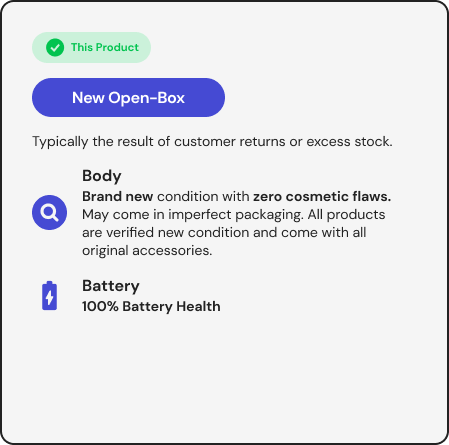
What Does “Open Box” Mean?
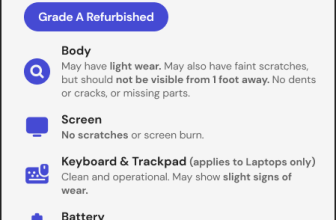
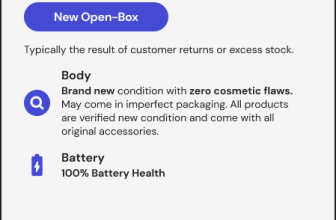
This product is listed as an Open Box item. Open Box items are typically considered excess inventory from store shelves. They usually have assorted stickers on the packaging and have been exposed to customer contact. In addition, since most of these items have been returned from retail stores back to the warehouse, the packaging sometimes shows signs of extra handling. These products will go through verification that they are still in new condition and put in clean packaging. Product comes with a 1-year warranty.

Source: www.stacksocial.com…