
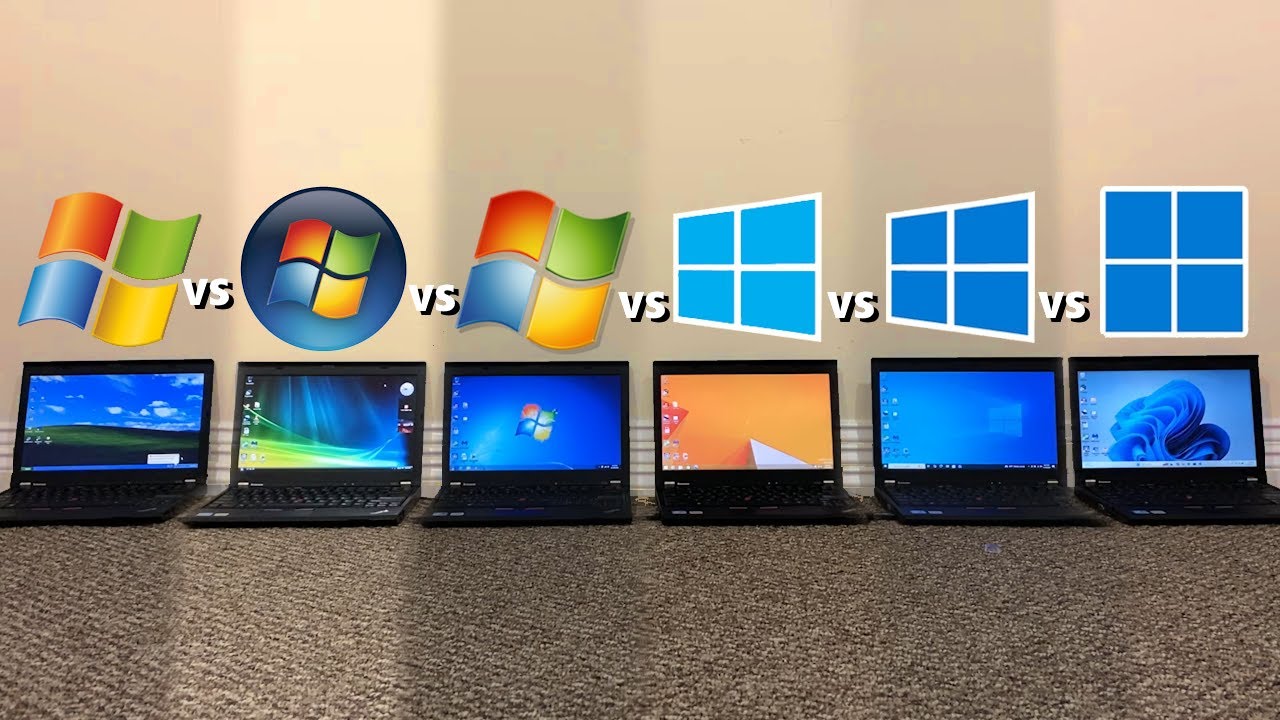
Windows 11 gets a bad rep in the community because of its higher baseline overhead, stringent hardware requirements, UI regressions, and more – not to mention the forced Microsoft hooks that keep getting worse by the day. Moreover, when placed in a rather unscientific test by TrigrZolt, comparing six different generations of Windows with each other, it placed dead last in pretty much every individual test, though the situation is a bit more nuanced.
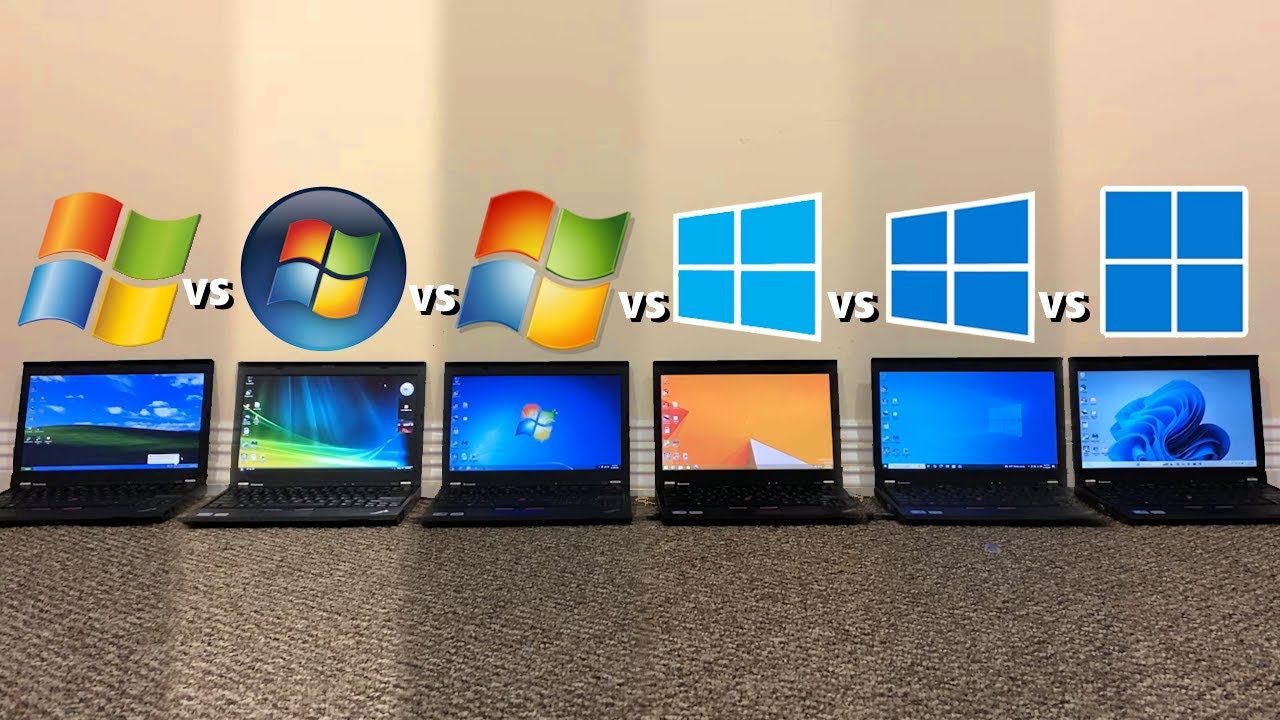
Six Lenovo ThinkPad X220 laptops were used in the test, featuring a Core i5-2520M CPU and 8GB of RAM, with a 256GB hard drive — running the latest versions of Windows XP, Windows Vista, Windows 7, Windows 8.1, Windows 10, and Windows 11. That setup alone should tell you how the methodology employed here is skewed toward favoring older software. Windows 11 isn’t even officially supported on these components.
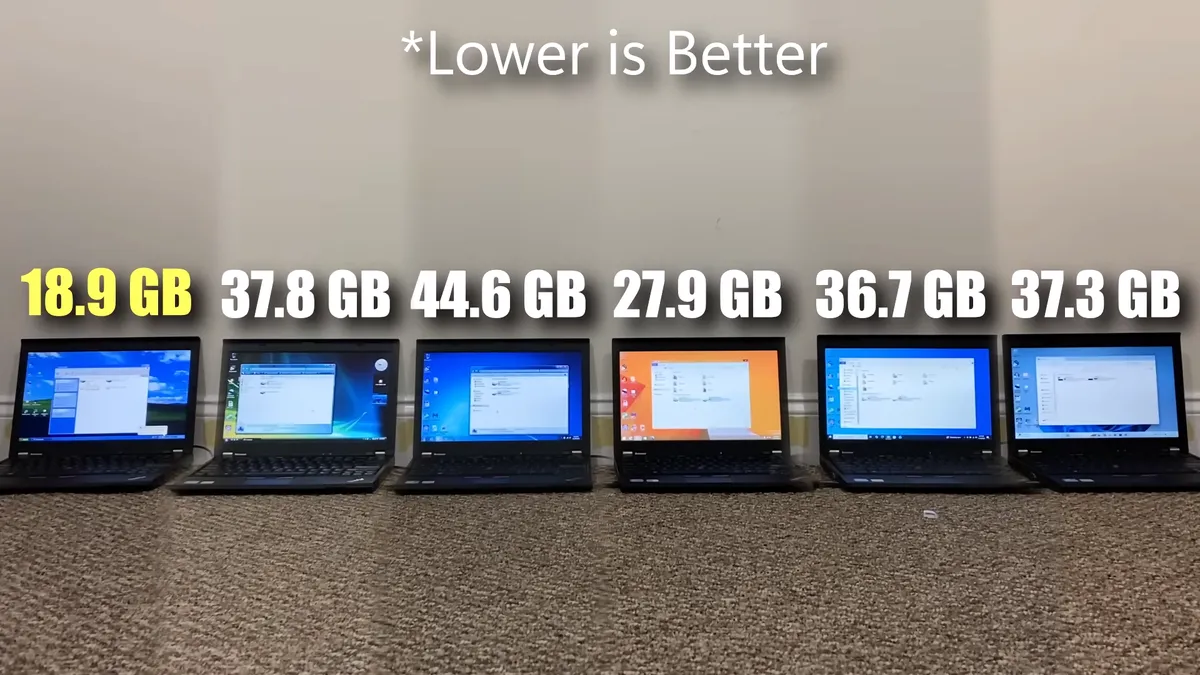
Then comes the storage test, where it’s Windows XP that takes the cake, with only 18.9GB of space taken up for all the apps installed. The same number of programs, along with Windows itself, took 37.3GB of hard drive real estate on Windows 11, so there’s definitely a lot of extras there. But Windows 11 actually came third here, behind Windows Vista, at 37.8GB, and the revered Windows 7, at a whopping 44.6GB.
Next up is RAM management where Windows XP is the winner once again, consuming only 0.8GB of system memory at idle, while Windows 11’s appetite grew to 3.3GB on average; it jumped to 3.7GB at one point. This is because of the added resources the OS loads in the background, including persistent telemetry.
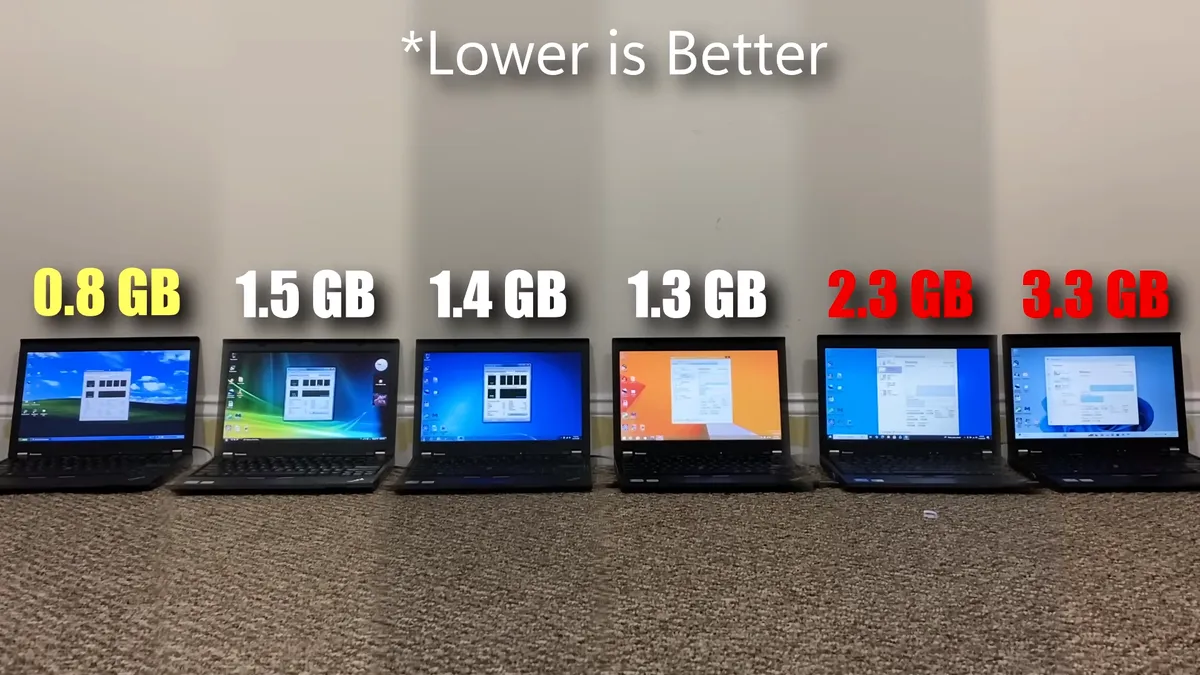
Older hardware with less RAM, therefore, will be more susceptible to sluggishness on Windows 11. Keep in mind, TrigrZolt is also running a system with a hard drive, which are outdated at this point regardless of your operating system loyalties. Any modern system with a decent CPU and NVMe SSD will likely mask over the general inefficiency Windows 11 shows, plus options like debloat tools and Xbox FSE can further help here.
Now we move on to the second part of the RAM management test, where the YouTuber loaded as many browser tabs as possible before the memory hits 5GB of utilization. Since Firefox and Chrome don’t load webpages properly anymore on archaic Windows versions, a more widely-compatible browser called Supermium was used across all devices.
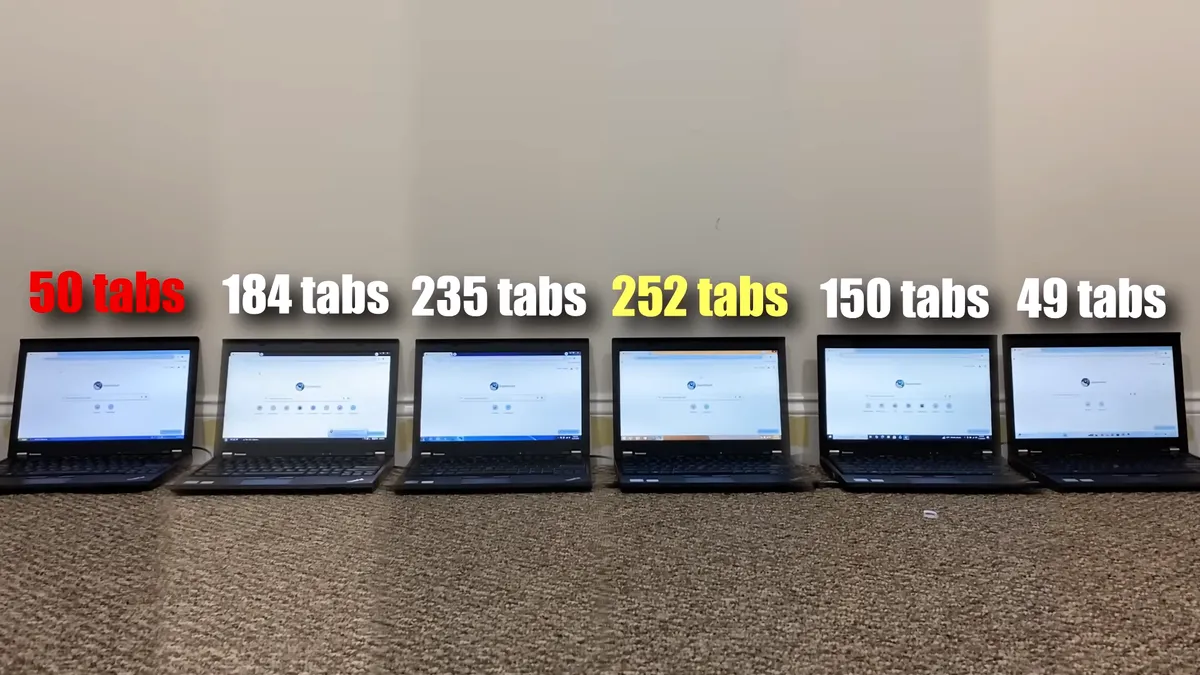
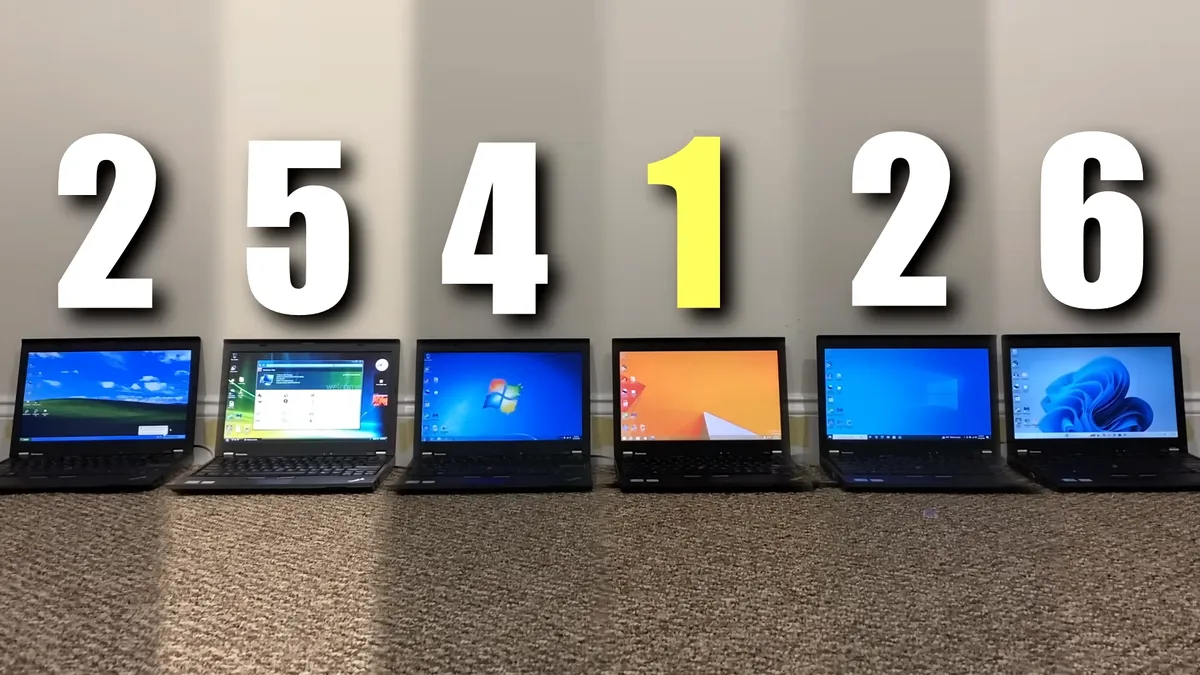
Once again, Windows 11 places dead last here, only being able to load a measly 49 tabs. Compare that to the insane 252 tabs Windows 8.1 was able to load. Even the older Windows XP managed 50 tabs, and that’s because it kept crashing past that number because of its paging file failing to keep up, not because it had hit the 5GB memory ceiling.
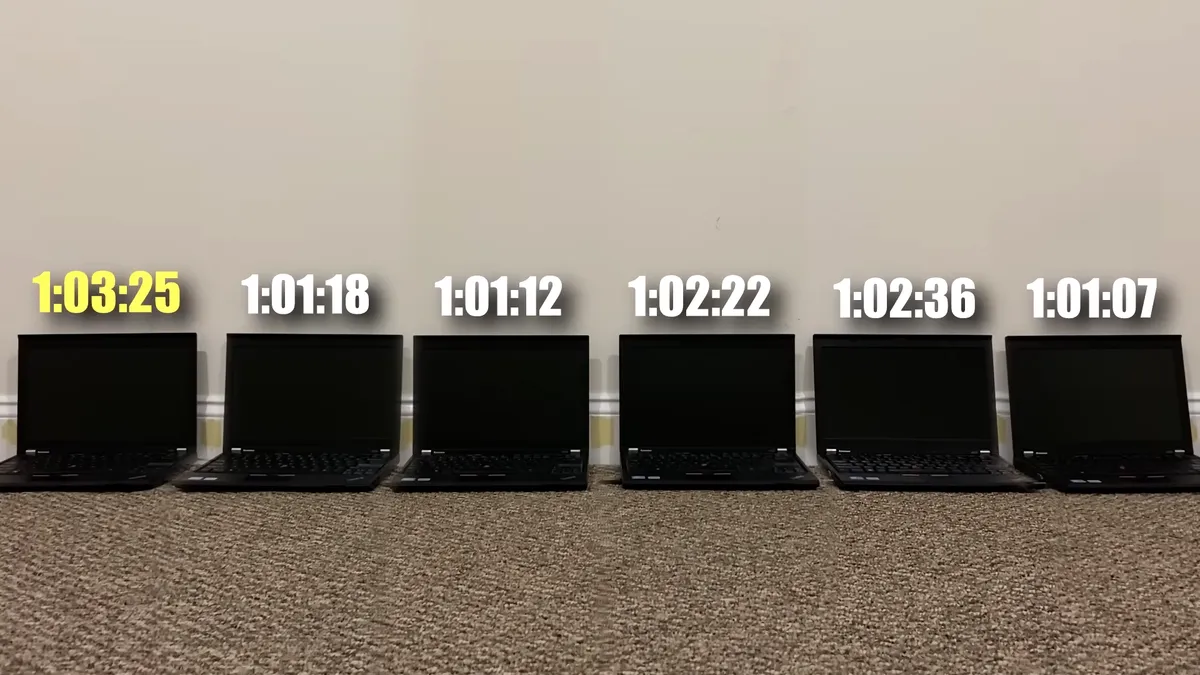
Our fourth test is for battery life and, of course, Windows 11 died first here, while Windows XP walked away with the best endurance. Though, the delta between all the devices was only about two minutes so it won’t make a difference in real-world usage. All the laptops had 100% battery health, too, and the same program was run to drain them as quickly as possible.
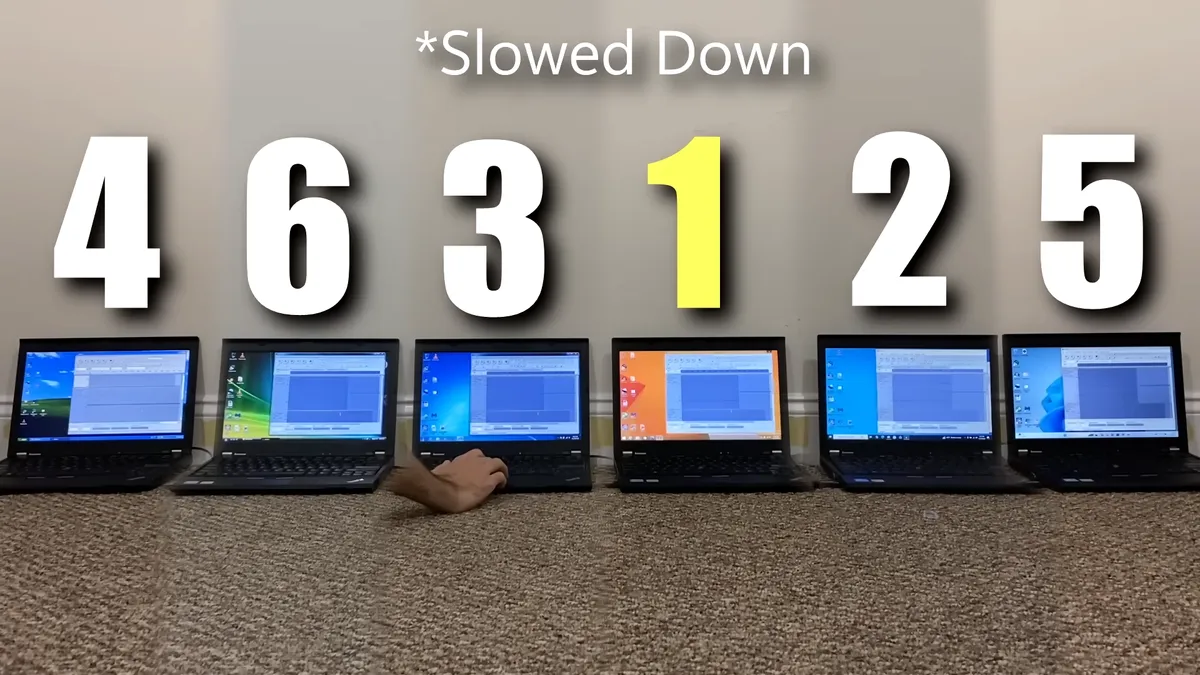
Moving on, exporting an audio file in Audacity once again put Windows 11 at fifth place, only ahead of Windows Vista which was experiencing an unusual delay, otherwise all laptops finished around the same time. The same fate follows Windows 11 when it came to rendering a video, finishing in last, with Windows 10 taking first place. Here, Windows XP and Vista couldn’t load the OpenShot Video Editor that was used, so they were disqualified.
Image 1 of 2

In application opening times, Windows 11 got last place across all five programs that were tested: File Explorer, MS Paint, Calculator, Adobe Reader, and VLC Media Player. Older versions of Adobe Reader and VLC were used to ensure compatibility with all six operating systems, so there’s a bit of performance left on the table, but still the native apps didn’t win any awards either.
After so many consecutive losses, Windows 11 actually secured third place in one half of the web browsing test where it had to load an image, but fell to last place again when visiting the Google Images and Microsoft Account login websites. When transferring files, though, Windows 11 snatched second place, only behind Windows 10, while placing fourth in the malware scan test using MalwareBytes — Windows 7 won this one.
Image 1 of 2


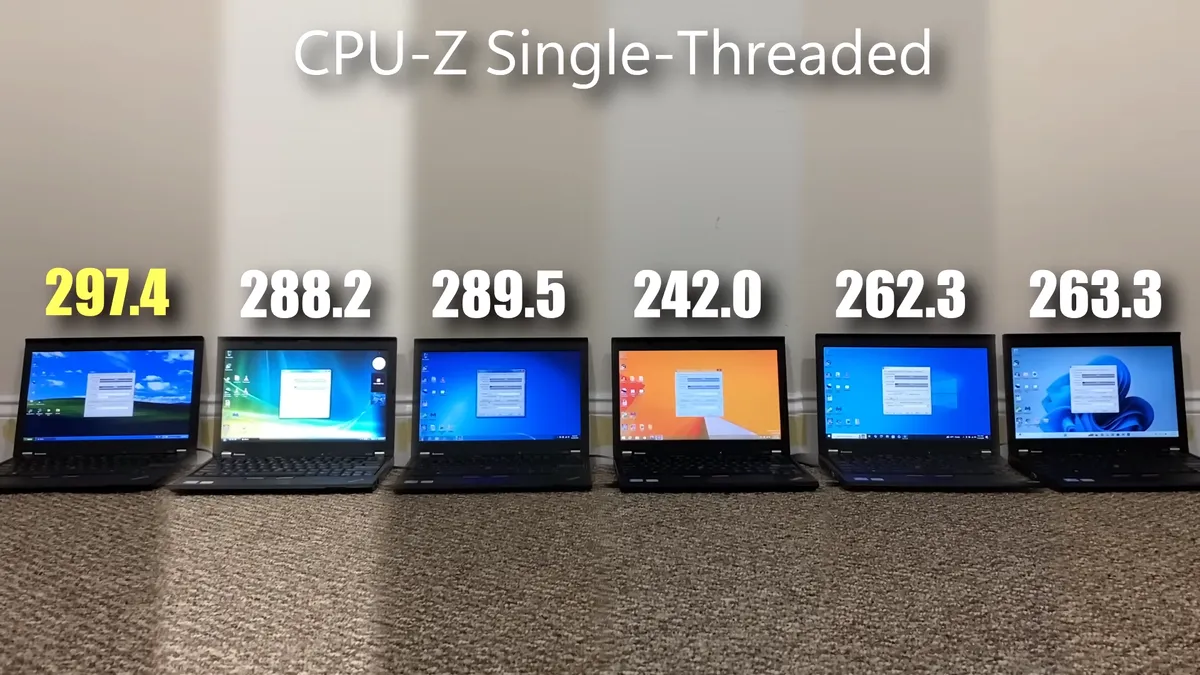
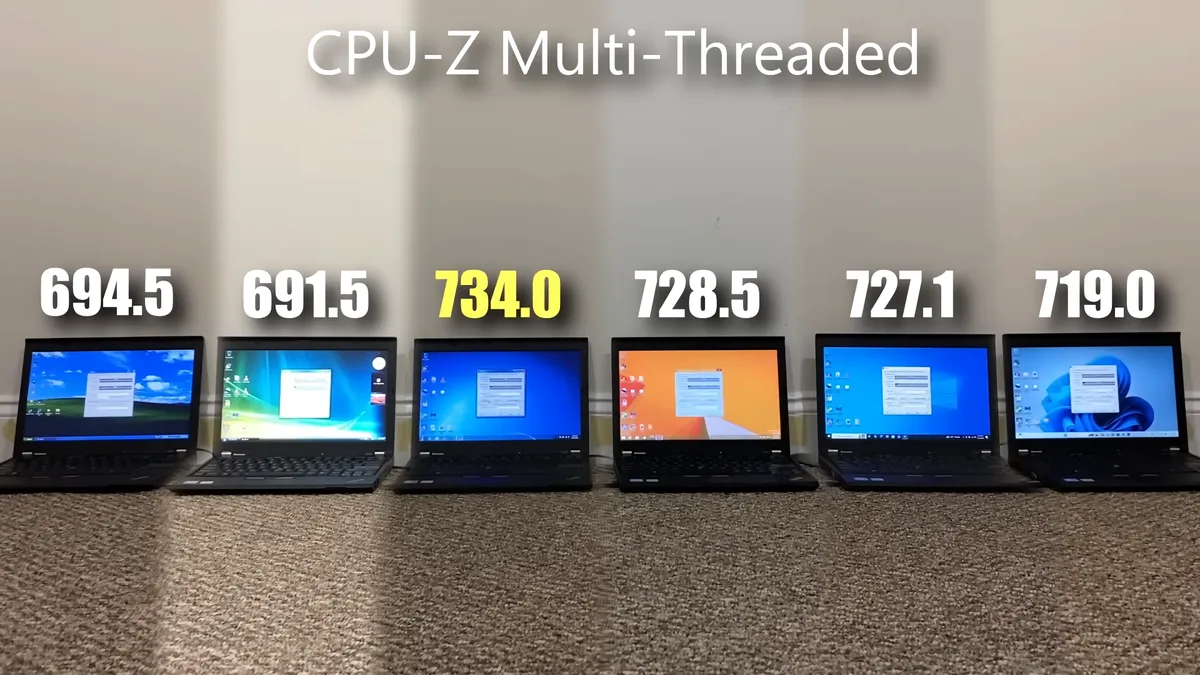
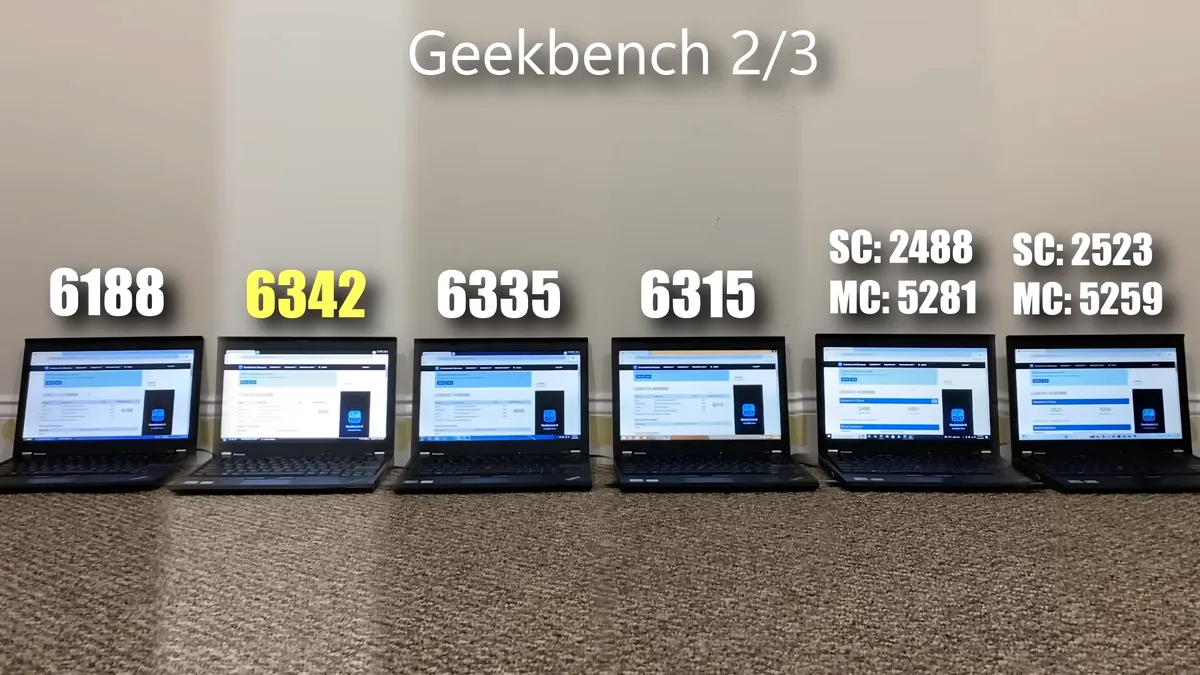
Finally, we arrive at our last test, which are benchmarks. Windows XP took the crown in CPU-Z’s single threaded load while Windows 7 topped the multithreaded charts, and Windows 11 was fourth in both. Geekbench was also tested, but the versions are different for Windows 10/11 and the rest. Between those two, Windows 11 scored higher in single-core but lower in multicore. Among the older operating systems, Windows Vista walked away with the highest score.
Image 1 of 3
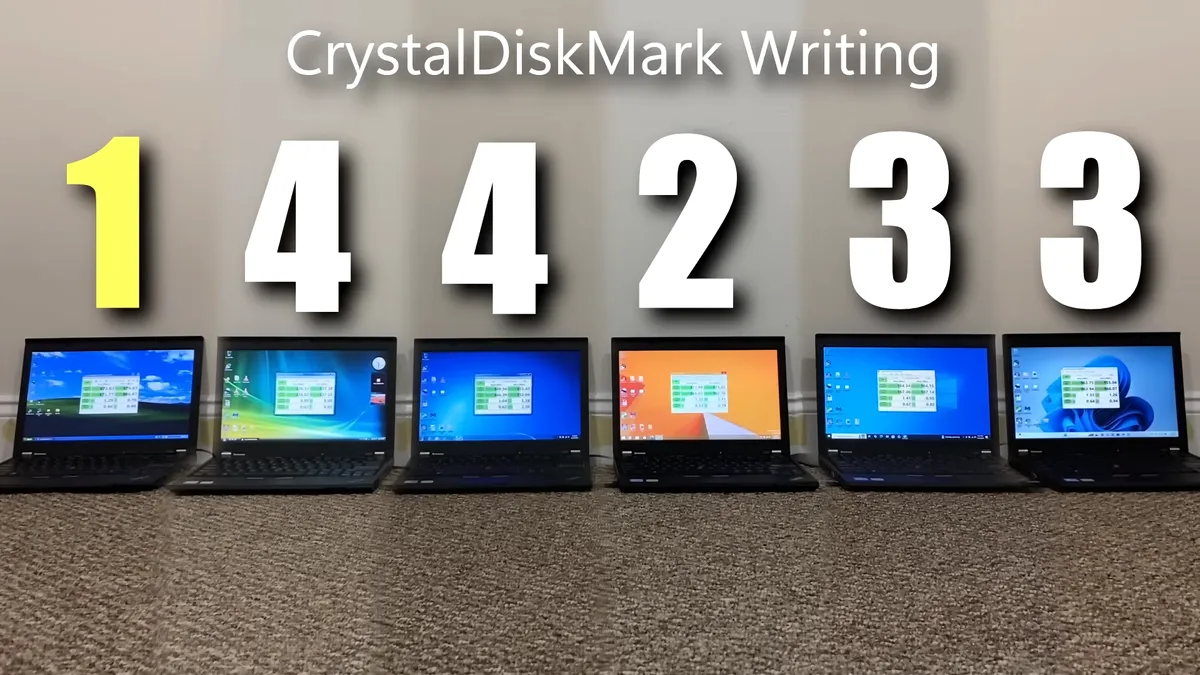
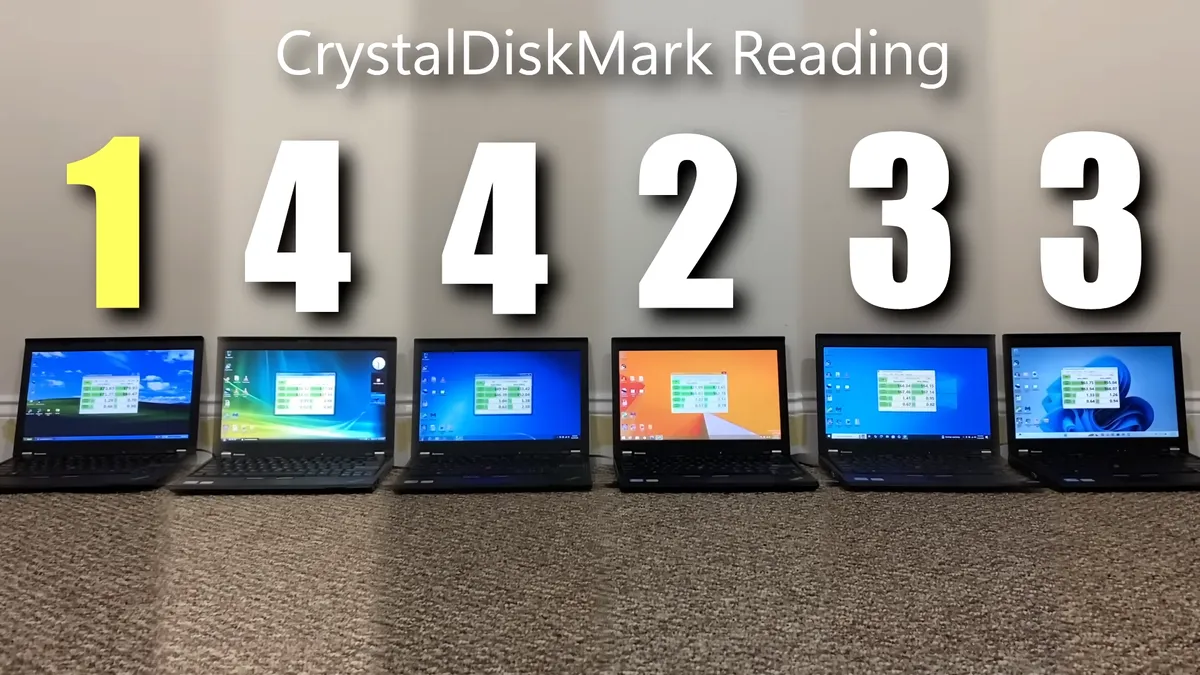
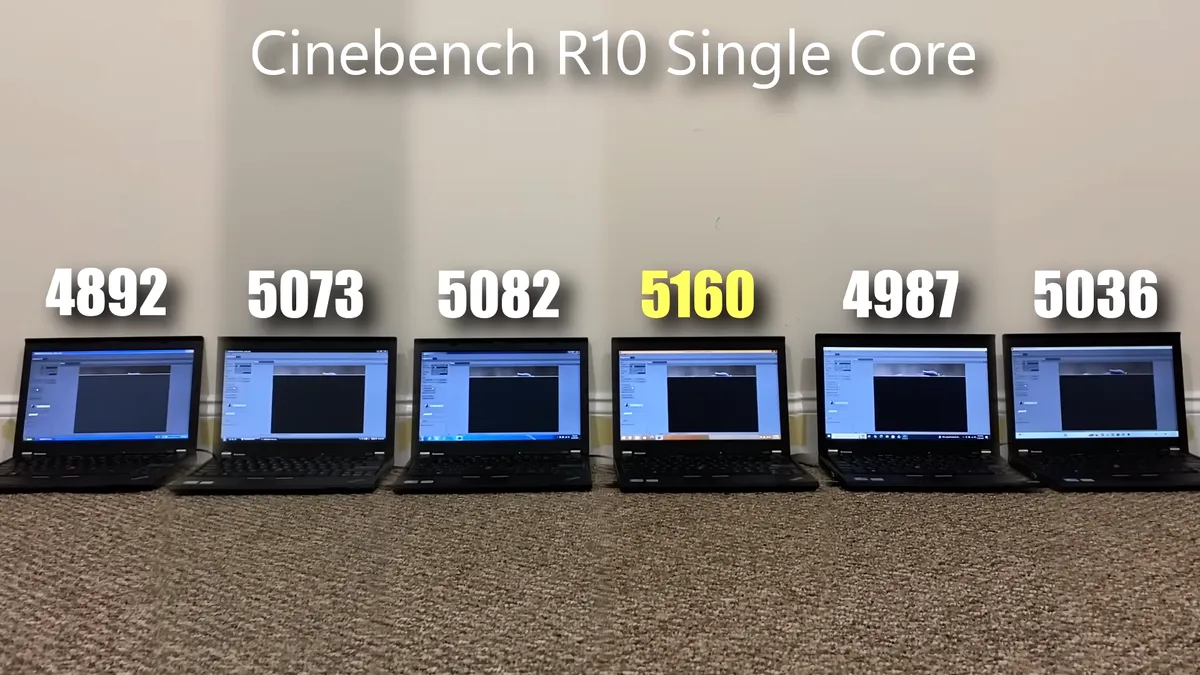
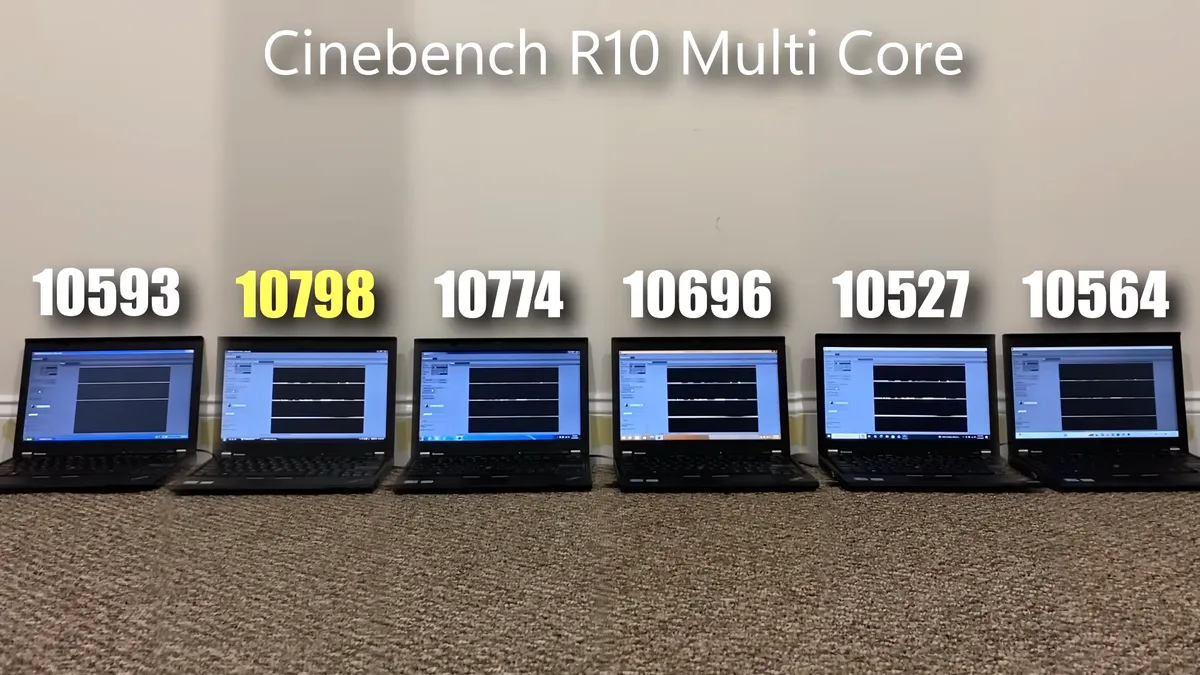
TrigrZolt also tested CrystalDiskMark and Windows 11 netted a decent third place here, tied with Windows 10, while Windows XP won. In Cinebench R10 single-core, Windows 8.1 got its second victory of the day, pushing Windows 11 down to fourth place. Multicore was even worse for Windows 11 because it only beat Windows 10 by a few points to save itself from scoring last; Windows Vista walked away as the fastest.
Image 1 of 4
All in all, this was a pretty devastating showing for Windows 11 where it couldn’t even win a single test. However, the hardware is just so outdated at this point that it doesn’t represent the Windows 11 experience faithfully. The laptops were never designed to run a modern operating system, neither does Microsoft’s latest OS support this hardware.
If you were to use modern laptops that came out in the Windows 10/11 era, the results would likely be skewed the other way. The omission of an SSD, especially, is strange since that’s a component every edition of Windows will benefit from, and something that truly does hold back Windows 11 here. Though, it’s still a little embarrassing, considering Windows 10 didn’t suffer nearly as much without it.
The YouTuber himself mentions that this test represents historic value more than practicality. He ended up giving the overall win to Windows 8.1, saying how fluid and fast it felt, despite being ridiculed at the time of its release. It’s also more visually consistent with Windows 10/11 than it is with Windows 7/Vista, so it doesn’t look outdated.
A better methodology would’ve been to use flagship — or even midrange, for that matter — laptops from every generation: custodians of that era of Windows, so that each version had the best shot at performing at its full potential. As it stands right now, while it’s quite funny to see Microsoft’s increasingly AI-riddled OS loose against legacy offerings, the test just wasn’t set up fairly to begin with.

Follow Tom’s Hardware on Google News, or add us as a preferred source, to get our latest news, analysis, & reviews in your feeds.


