Better Sheets Automate Google Sheets: Budgets, Dashboards, Reporting, Sales, CRM! And, use AI before it uses you.
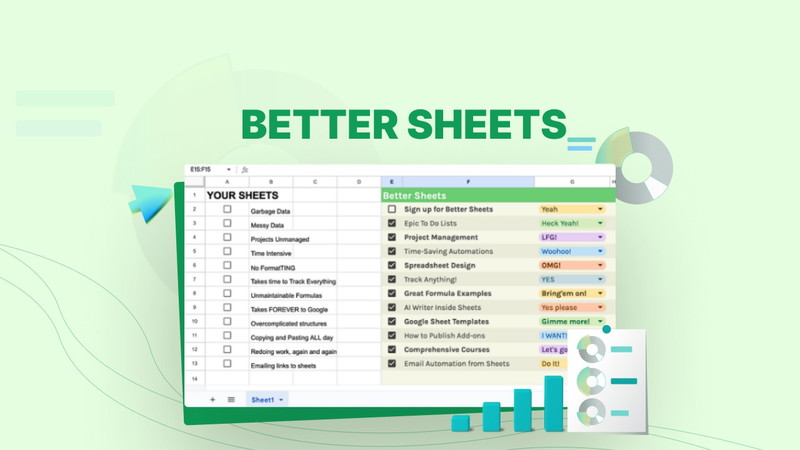
Better Sheets is a platform that provides automation tools for Google Sheets users. The service offers pre-built templates, functions, and workflows designed to reduce manual data entry and streamline spreadsheet operations. Users can access these tools without requiring programming experience or advanced technical skills.
The platform includes several key features: automated task execution, customizable templates for various business functions, and tools for creating reports and dashboards. Better Sheets allows users to set up recurring processes, data imports, and calculations that run automatically within Google Sheets. The service targets individuals and businesses that rely heavily on spreadsheet-based workflows but lack the technical resources to develop custom automation solutions.
Better Sheets operates as an add-on service to Google Sheets, integrating with the existing Google Workspace ecosystem. Users can implement automation for common tasks such as data collection, report generation, inventory tracking, and financial calculations. The platform aims to bridge the gap between basic spreadsheet functionality and more complex database or business intelligence tools, providing a middle-ground solution for organizations that need enhanced capabilities without migrating to entirely new software systems.
Key Takeaways
- Better Sheets Automate enhances Google Sheets by integrating AI for smarter automation.
- It streamlines budgeting, dashboard creation, and report generation processes.
- Sales automation and CRM integration improve efficiency and data management.
- AI plays a crucial role in optimizing workflows within Google Sheets.
- Embracing AI-driven automation leads to more accurate and faster business results.
Budgeting with Better Sheets Automate Google Sheets
Budgeting is a critical aspect of financial management for both individuals and organizations. With Better Sheets, users can automate their budgeting processes, making it easier to track expenses, forecast future spending, and analyze financial trends. By utilizing pre-built templates specifically designed for budgeting, users can quickly set up their financial plans without starting from scratch.
These templates often include formulas and functions that automatically update as new data is entered, ensuring that users always have an accurate view of their financial situation. Moreover, Better Sheets allows for real-time collaboration among team members, which is essential for effective budgeting in organizations. Multiple users can access and edit the same sheet simultaneously, enabling them to contribute their insights and expertise.
This collaborative approach not only enhances the accuracy of the budget but also fosters a sense of ownership among team members. As a result, organizations can make more informed financial decisions based on collective input rather than relying on a single perspective. The automation features in Better Sheets further streamline this process by sending alerts for budget overruns or highlighting areas that require attention, thus ensuring that users remain on track with their financial goals.
Creating Dashboards with Better Sheets Automate Google Sheets

Dashboards serve as a vital tool for visualizing data and tracking key performance indicators (KPIs). With Better Sheets, users can create dynamic dashboards that provide a comprehensive overview of their data at a glance. The platform offers various templates and design options that allow users to customize their dashboards according to their specific needs and preferences.
By integrating charts, graphs, and other visual elements, users can transform raw data into meaningful insights that drive decision-making. The automation capabilities of Better Sheets further enhance the functionality of dashboards. Users can set up automatic updates that refresh the data displayed on their dashboards in real-time.
This means that stakeholders can access the most current information without having to manually refresh or update the sheets themselves. Additionally, Better Sheets allows for the integration of external data sources, enabling users to pull in relevant information from other platforms seamlessly. This integration ensures that dashboards remain comprehensive and up-to-date, providing users with a holistic view of their performance metrics.
Generating Reports with Better Sheets Automate Google Sheets
Generating reports is often a time-consuming task that requires meticulous attention to detail. However, with Better Sheets, users can automate this process, significantly reducing the time and effort involved in report creation. The platform offers various reporting templates that can be customized to suit different reporting needs, whether for financial analysis, project updates, or performance reviews.
By utilizing these templates, users can quickly compile data from multiple sources and present it in a structured format. Furthermore, Better Sheets enables users to schedule automated report generation at regular intervals. This feature is particularly beneficial for organizations that require consistent reporting for stakeholders or management teams.
Users can set parameters for what data should be included in each report and when it should be generated, allowing them to focus on analyzing the results rather than spending hours compiling information. The ability to automate report generation not only saves time but also minimizes the risk of human error, ensuring that reports are accurate and reliable.
Sales Automation with Better Sheets Automate Google Sheets
| Feature | Description | Use Case | Benefit | AI Integration |
|---|---|---|---|---|
| Budgets | Automated budget tracking and forecasting | Personal and business financial planning | Improves accuracy and saves time | AI predicts spending trends and suggests adjustments |
| Dashboards | Customizable visual data summaries | Real-time business performance monitoring | Enhances decision-making with clear insights | AI generates dynamic charts based on data changes |
| Reporting | Automated report generation and distribution | Monthly sales, financial, and operational reports | Reduces manual effort and errors | AI drafts reports and highlights key metrics |
| Sales | Sales tracking and pipeline management | Monitoring leads, conversions, and revenue | Improves sales forecasting and follow-ups | AI analyzes customer data to prioritize leads |
| CRM | Customer relationship management automation | Managing contacts, interactions, and support tickets | Enhances customer engagement and retention | AI suggests personalized communication strategies |
Sales teams often face the challenge of managing large volumes of data while striving to meet targets and drive revenue growth. Better Sheets provides a solution by automating various aspects of the sales process, from lead tracking to performance analysis. By utilizing automated sales pipelines within Google Sheets, sales professionals can easily monitor their leads’ progress through different stages of the sales funnel.
This visibility allows teams to identify bottlenecks and optimize their strategies accordingly. Additionally, Better Sheets enables sales teams to automate follow-up reminders and notifications based on specific triggers or timelines. For instance, if a lead has not been contacted within a certain period, the system can automatically send reminders to the assigned sales representative.
This level of automation ensures that no lead falls through the cracks and helps maintain consistent communication with potential customers. By streamlining these processes, sales teams can focus more on building relationships and closing deals rather than getting bogged down by administrative tasks.
CRM Integration with Better Sheets Automate Google Sheets

Customer Relationship Management (CRM) systems are essential for managing interactions with clients and prospects. However, many organizations struggle with integrating their CRM data into other tools they use for analysis and reporting. Better Sheets addresses this challenge by offering seamless integration with popular CRM platforms.
This integration allows users to pull relevant customer data directly into Google Sheets, enabling them to analyze trends and performance metrics without switching between multiple applications. By automating the data transfer between CRM systems and Google Sheets, Better Sheets eliminates the need for manual data entry, reducing the risk of errors and saving valuable time. Users can create customized reports that combine CRM data with other business metrics, providing a comprehensive view of customer interactions and sales performance.
This holistic approach empowers organizations to make informed decisions based on accurate and up-to-date information about their customers.
The Importance of AI in Better Sheets Automate Google Sheets
Artificial Intelligence (AI) plays a pivotal role in enhancing the capabilities of Better Sheets Automate Google Sheets. By incorporating AI-driven features, Better Sheets enables users to gain deeper insights from their data through advanced analytics and predictive modeling. For instance, AI algorithms can analyze historical data patterns to forecast future trends, helping businesses make proactive decisions rather than reactive ones.
Moreover, AI enhances user experience by providing intelligent suggestions for automating tasks based on user behavior and preferences. This personalized approach allows users to discover new ways to optimize their workflows without needing extensive training or technical expertise. As AI continues to evolve, its integration into tools like Better Sheets will likely become even more sophisticated, offering users unprecedented levels of automation and insight.
Embracing AI in Better Sheets Automate Google Sheets for Better Results
In conclusion, Better Sheets Automate Google Sheets represents a significant advancement in how individuals and organizations manage their data. By automating various processes such as budgeting, reporting, sales tracking, and CRM integration, users can save time and reduce errors while gaining valuable insights into their operations. The incorporation of AI further enhances these capabilities by providing advanced analytics and personalized automation suggestions.
As businesses increasingly recognize the importance of data-driven decision-making, embracing tools like Better Sheets becomes essential for staying competitive in today’s fast-paced environment. By leveraging automation and AI technologies, organizations can streamline their workflows, improve collaboration among team members, and ultimately achieve better results. The future of data management lies in embracing these innovations, allowing users to focus on strategic initiatives rather than getting lost in the complexities of manual data handling.
If you’re looking to enhance your Google Sheets experience with automation for budgets, dashboards, reporting, sales, and CRM, you might find the article on mental health and stress management particularly relevant. It discusses tools and strategies that can help you manage stress, which is essential when dealing with complex data and financial planning. You can read more about it in this article. Additionally, remember to use AI before it uses you, as leveraging technology can significantly streamline your processes and improve efficiency.
FAQs
What is Better Sheets?
Better Sheets is a tool designed to automate and enhance Google Sheets by simplifying tasks such as budgeting, dashboard creation, reporting, sales tracking, and customer relationship management (CRM). It leverages automation to save time and improve accuracy.
How does Better Sheets automate Google Sheets?
Better Sheets uses pre-built templates, scripts, and AI-powered features to automate repetitive tasks within Google Sheets. This includes data entry, calculations, report generation, and integration with other tools, reducing manual work and errors.
Can Better Sheets help with budgeting?
Yes, Better Sheets offers automated budgeting templates and tools that help users create, track, and manage budgets efficiently within Google Sheets, making financial planning easier and more accurate.
Is it possible to create dashboards using Better Sheets?
Absolutely. Better Sheets provides customizable dashboard templates and automation features that allow users to visualize data dynamically, helping in monitoring key metrics and making informed decisions.
How does Better Sheets improve reporting?
Better Sheets automates the collection, organization, and presentation of data, enabling users to generate comprehensive reports quickly. It can pull data from various sources and update reports in real-time.
Can Better Sheets be used for sales and CRM purposes?
Yes, Better Sheets includes tools and templates tailored for sales tracking and customer relationship management, helping businesses manage leads, sales pipelines, and customer data efficiently within Google Sheets.
What does the phrase “use AI before it uses you” mean in the context of Better Sheets?
This phrase emphasizes the importance of leveraging AI-powered automation tools like Better Sheets proactively to enhance productivity and decision-making, rather than being overwhelmed or outpaced by the increasing complexity and volume of data.
Do I need technical skills to use Better Sheets?
Better Sheets is designed to be user-friendly, with templates and automation that require minimal technical knowledge. However, some familiarity with Google Sheets can help users maximize its features.
Is Better Sheets compatible with other Google Workspace tools?
Yes, Better Sheets integrates smoothly with other Google Workspace applications such as Google Drive, Google Forms, and Google Data Studio, enhancing overall workflow and data management.
Where can I access Better Sheets?
Better Sheets can typically be accessed through its official website or as an add-on within Google Sheets. Users should check the official sources for the latest access options and pricing.