Discover Notioly: A Collection of 400+ Notion-Style Illustrations
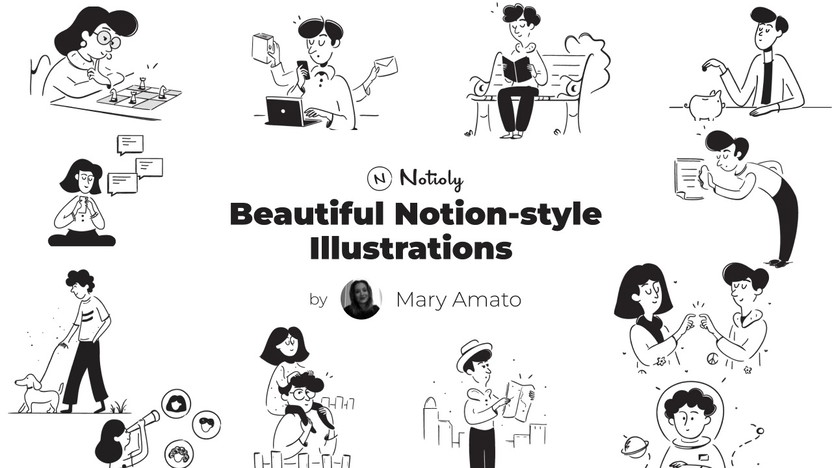
Notion is a leading platform in the digital productivity tools market and is widely recognized for its versatility and easy-to-use interface. With the increase in users customizing their Notion workspaces, the need for visually unique elements has also escalated. Notioly is a solution for this problem as it offers a set of Notion-compatible illustrations that not only beautify your workspace but also help you organize internally.
The pictures given by Notioly not only serve to beautify visually but they are also used internally as practical tools for communciation and organization. Notioly, with the help of its extensive range of illustrations, is able to cover a broad spectrum of themes. The pictures, whether they are minimalist or colorful, don’t only just look good but also adhere to the design principles of Notion which is simplicity and functionality.
By using such images, a user can significantly enhance his/her space and increase the attractiveness of plain pages that will of course lead to heightened productivity as well as creativity. Notioly is a significant step towards making Notion more personally engaging and it allows users to customize their workspaces while not derailing the platform’s main functionality.
Main Points
- Notioly provides an extensive array of illustrations in the Notion style that can be used for embellishing the workspace.
- The integration of these visuals is so smooth that they can be even handpicked and arranged according to the personal style or brand identity.
- With the help of Notioly, one can make one’s content in Notion projects not only visually pleasing but also properly organized.
- Users are able to modify illustrations according to their needs to create a unique, harmonious appearance by following the guide.
- Notioly is a great place to upgrade user experience and get aesthetic values in Notion.
Exploring the Variety of Notioly Illustrations
The most alluring feature of Notioly is undoubtedly the wide range of illustrations that are carefully crafted to meet different consumer tastes and needs. Character illustrations depicting playful morals, cute icons, and device-like professional graphics used for branding purposes can be found here. Such an extensive selection makes it almost impossible not to find something that suits one’s personal style and fits the nature of his/her project.
Besides their visual beautification function, illustrations also serve some particular purposes, for example, they can be used for entertaining users or can be utilized for the simplification of difficult content. To add to this, Notioly categorizes its illustrations so that users can have the pleasure of browsing through the collection as well as quickly locating the thing they are after. If anyone requires pictures to illustrate a project management dashboard or to spice up a personal journal, the user-friendly categorization will help him/her in making the selection very fast.
This is a very sort of activities and similar not only to the ones that are behind the making of Notion, i.e., the works and principles of efficiency and ease of use, which openings up the possibility to focus on what you are actually doing by giving you less things to worry about.
How to Use Notioly Illustrations in Your Notion Workspace
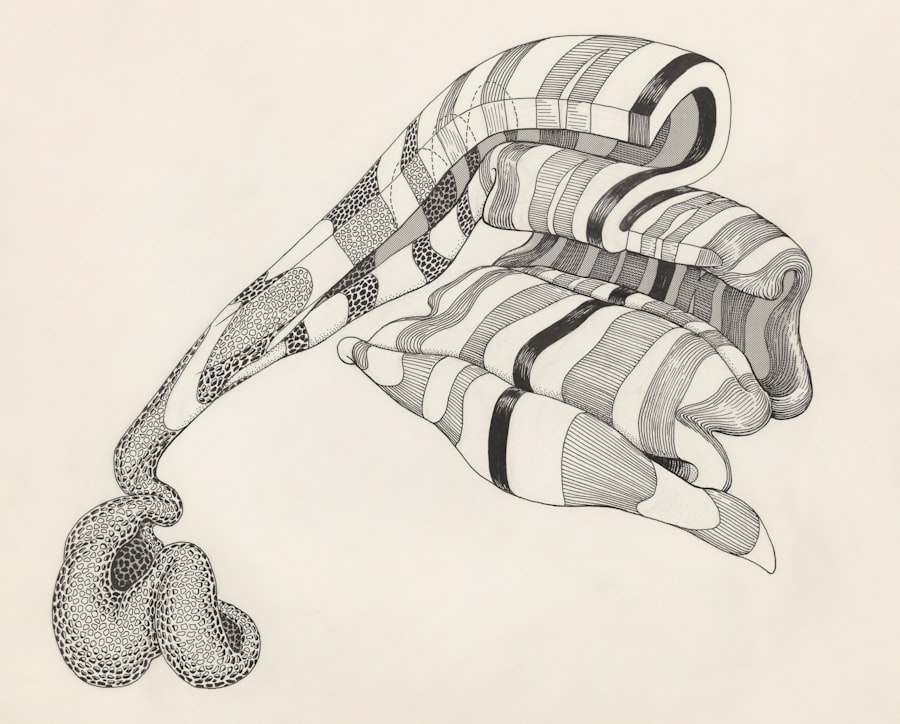
Integrating Notioly illustrations into a Notion workspace is easy, and it can be of great help in enhancing the overall user experience. Users have the freedom to upload the illustrations that they have selected from their device to their Notion pages, which gives a great opportunity for the seamless incorporation of the visuals into the existing layouts. Users can make their environment lively and appealing, which will capture the attention of others and, at the same time, foster creativity, if they combine visuals with text or data together.
Furthermore, Notioly illustrations can also be used to divide the huge sections of the text that otherwise, would have been quite difficult to read, and not only do they make the information more digestible, they also give it a nice feature. For instance, the inclusion of an illustration at the top of a section can work as a visual signal that helps guide the readers from one piece of content to another. This method does not only serve to improve the text but it also decorates the workspace and the users may feel more attracted to the pages and thereby interact with them more frequently.
With the help of these illustrations, users are in a position to turn their Notion workspaces into colorful centers of both creativity and productivity.
Tips for Customizing Notioly Illustrations to Fit Your Brand
Notioly does provide a wide range of illustrations that are ready to be used as they are, but there could be instances when the users may want to customize the visuals more to be in line with their personal or organizational branding. One of the ways that works well for brands is to change colors on brand materials as brand colors have already been established so this ensures that these illustrations will get along well with the rest of the elements in the room. When the brand identity is not only strengthened but also a uniform visual experience is created that users can relate to through this kind of customization.
Besides colors, you can also customize Notioly illustrations by adding some text or your logo onto the images. Users can create unique graphics that can represent their brand’s voice and message by using this method. One more example would be, inserting a motivational phrase or a company slogan can turn an ordinary illustration into a branding tool.
By going beyond the point of merely using the illustrations and instead, proceeding to customize them, the users will be able to benefit not only from the aspects of functionality but also the expression of their personal or organizational values.
Incorporating Notioly Illustrations into Your Personal Projects
| Metric | Value | Description |
|---|---|---|
| Total Illustrations | 400+ | Number of Notion-style illustrations in the Notioly collection |
| Illustration Style | Notion-style | Design style used for all illustrations |
| File Formats | SVG, PNG | Available file formats for illustrations |
| Usage | Personal & Commercial | Allowed usage types for the illustrations |
| License | Free with Attribution | License type for using the illustrations |
| Categories | 20+ | Number of categories or themes covered by illustrations |
Besides their use in professional environments, Notioly illustrations can be an amazing tool for personal projects as well. Irrespective of whether one is digitally scrapbooking, setting up a personal blog, or crafting an online portfolio, these illustrations can be the trick that lifts the whole presentation up. The fun and creative character of Notioly’s products allows the users to share their personalities and interests through their work.
Just take a personal blog for example. Users can pick illustrations that not only resonate with their core message but also suit the theme – be it travel, cooking, or lifestyle. They can always pair the images with the text to create a visually rich reading experience that draws in the audience and coax them to click through more of their posts. Likewise, if one’s turning their digital scrapbook into a story, Notioly illustrations will help make it a visual one, giving faces and colours to the memories rather than mere words.
Notioly: An Innovation for the Notion Community
Notioly is unquestionably an innovation that has transformed the way Notion users upgrade their digital workspaces. By equipping the platform with a vast collection of top-notch illustrations specifically designed for it, Notioly users are no longer limited by the grayed-out default elements. This extension has opened the door for not only individuals but also teams to develop and decorate their workspaces with features that go beyond being merely functional.
Besides, the availability of Notioly’s visual content implies that even non-professionals can give their workspaces a remarkable design upgrade without any effort at all. Thus, the users are no longer bound to providing only text for their pages; on the contrary, they have the opportunity to use graphics to convey their messages more efficiently and captivate the audience in different ways. With the growing number of users getting exposed to Notioly’s true capabilities, the platform might continuously develop and, in this way, provision a more enriched community of creative thinkers and doers.
The Benefits of Using Notioly Illustrations in Your Notion Workspace
Besides, the incorporation of Notioly illustrations into a Notion workspace is beneficial in more ways than one. One of the major and most outstanding effects is improved user engagement. It is a known fact that people are generally attracted to visuals more than texts, and visuals as a rule are better retained in brain memory compared to texts.
Users can build an inviting setting by the inclusion of visuals in their pages that, in turn, will prompt visitors to keep browsing and interacting. Also, employing the use of illustrations can be a great help when it comes to keeping the information conveyed in your memory. Researches have confirmed that human beings memorize the most easily information presented through pictures rather than that delivered by words, solely.
Collaborators or team members may better grasp the information if one pairs the main ideas with suitable images gotten from Notioly. The upshot of such a blend of visual attraction and mental potency is that you get an exceptionally valuable tool at your disposal if you decide to go for Notioly graphics as a part of preparing your workspace. This location in the integration of the two worlds, viz. visual appeal and the power of mind, is of Notioly graphics thus making them a great source for anyone willing to optimize their workspace landscape.
Final Thoughts: Enhancing Your Notion Experience with Notioly
To bring it all in one point, Notioly is a giant leap forward in the ways users can customize and breathe life into their Notion workspaces. It holds the key to unleashing not only the individual’s but also each member’s artistic talent of a team, through the massive array of illustrations made for the platform that are ready to be blended with productivity. With minimal effort in content adaptation and personalization, the users become creators of original spaces that mirror their own or their company’s, thus, resulting in a value-adding identity.
New challenges require new solutions. Digital workspaces are metamorphosing continuously, and tools such as Notioly will weigh heavily on the decision of an individual determining the line of communication and interaction with technology. By taking such steps as these, users essentially breathe life into their work machines, peppering them with bursts of creativity and inspiration. So, the incorporation of Notioly illustrations in a Notion workspace transcends beautification; it touches upon the very pivotal parts of the user experience curve, which are the generation of ideas and the collaboration in the modern-day world.
Notioly, which features more than 400 illustrations in the style of Notion, is an excellent solution for you if you want to get a jump on your digital workspace. For those of you who follow the evolutions of technology with great interest, you will most probably be glad to learn that Reddit has expanded its AI-powered search to five new languages. If you would like to check it out, please visit here.
FAQs
What is Notioly?
Notioly is a set of 400+ illustration collection designed in the style of Notion – a popular productivity and note-taking app.
What kind of illustrations are in Notioly?
Notioly is filled with a plethora of Notion-themed illustrations usable for beautifying digital content, presentations, websites, and productivity scripts.
How many illustrations will I get with Notioly?
The Notioly bundle features over 400 different illustrations.
Can I change the illustrations in Notioly?
Usually, sets such as Notioly provide files that allow users to customize illustrations to some extent, e.g., color or size changes, however, the level of modification is dependent on the type of files supplied.
Who is the main target audience of Notioly illustrations?
Designers, content creators, educators, and also anyone who uses Notion or has an interest in creating Notion-style images are the main target audiences of Notioly illustrations.
What file formats are Notioly illustrations in?
Even if it’s not expressly stated, such an illustration pack is usually offered in formats like SVG, PNG, or AI, which are simple to use and modify.
Is it allowed to use Notioly free of charge?
Neither the pricing nor the licensing details of Notioly have been disclosed here; it is, therefore, advisable for the users to verify the official source for information about the rights of use and pricing.
Can I use Notioly illustrations for commercial purposes?
The extent of use depends on the licensing agreement that comes with Notioly; therefore, users should carefully go through these terms if they intend to use the illustrations commercially.
Where do I get the Notioly?
Notioly can be found from the official website or digital marketplaces that sell design-resource-related content.
How often is Notioly updated with new illustrations?
The information about the update or extension of the Notioly collection is not mentioned; thus, the users should check the official source for up-to-date information.