Top Features in Samsung One UI 8.5 Update
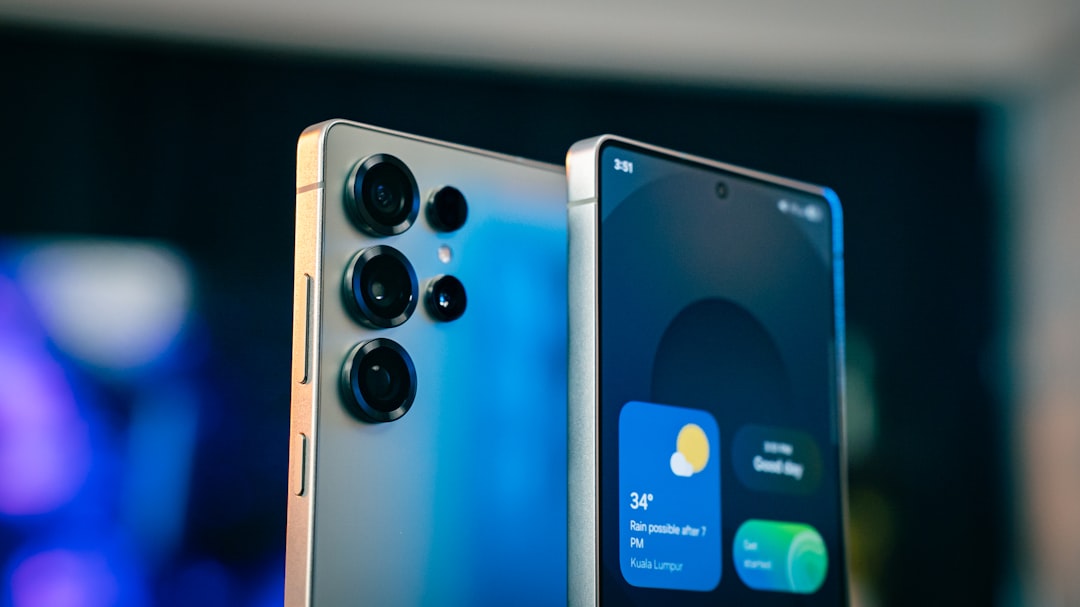
The Samsung One UI 8.5 update marks a significant milestone in the evolution of Samsung’s user interface, bringing a host of new features and improvements designed to enhance the overall user experience. As technology continues to advance, Samsung remains committed to refining its software to meet the ever-changing needs of its users. This latest iteration of One UI not only builds upon the solid foundation established by its predecessors but also introduces innovative functionalities that promise to elevate the way users interact with their devices.
With the One UI 8.5 update, Samsung aims to create a more intuitive and seamless experience for its users. The update is expected to roll out across a range of devices, ensuring that a broad spectrum of Samsung smartphone and tablet owners can benefit from the enhancements. As users delve into the new features, they will discover improvements that cater to performance, customization, security, and productivity, all while maintaining the aesthetic appeal that One UI is known for. This article will explore the various enhancements brought forth by the One UI 8.5 update, shedding light on how these changes can positively impact daily usage.
One of the standout features of the One UI 8.5 update is its focus on enhanced performance and efficiency. Samsung has made significant strides in optimizing the software to ensure that devices run smoother and faster than ever before. Users can expect quicker app launches, reduced lag during multitasking, and an overall more responsive interface. This improvement is particularly beneficial for power users who rely on their devices for demanding tasks, such as gaming or content creation.
In addition to speed enhancements, the update also introduces smarter resource management. By optimizing background processes and reducing battery consumption, Samsung ensures that users can enjoy longer usage times without needing to recharge frequently. This is especially important in today’s fast-paced world, where users often find themselves on the go and require their devices to keep up with their busy lifestyles. The combination of improved performance and efficiency makes One UI 8.5 a compelling upgrade for anyone looking to maximize their device’s capabilities.
Improved Customization Options
Customization has always been a hallmark of Samsung’s One UI, and version 8.5 takes this aspect to new heights. Users are now presented with an even broader array of options to tailor their devices to their personal preferences. From themes and wallpapers to icon packs and widgets, the update allows for a more personalized experience that reflects individual styles and tastes.
Moreover, One UI 8.5 introduces new features that enable users to create custom layouts for their home screens and app drawers. This flexibility empowers users to organize their apps in a way that suits their workflow best, making it easier to access frequently used applications. The enhanced customization options not only make devices more visually appealing but also contribute to improved usability, as users can design their interfaces to align with their daily routines.
New Camera Features and Enhancements
The camera experience on Samsung devices has always been a focal point, and One UI 8.5 brings exciting new features that enhance photography capabilities. With advancements in computational photography, users can expect improved image quality, particularly in low-light conditions. The update introduces new shooting modes and filters that allow users to experiment creatively with their photography, making it easier than ever to capture stunning images.
In addition to new modes, One UI 8.5 enhances existing camera functionalities such as autofocus and stabilization. These improvements ensure that users can take sharp, clear photos even in challenging conditions. Furthermore, the update includes advanced editing tools that allow users to refine their images directly within the camera app, streamlining the process from capture to sharing. With these enhancements, Samsung continues to solidify its reputation as a leader in mobile photography.
Enhanced Security and Privacy Features
In an age where digital security is paramount, Samsung has prioritized enhancing security and privacy features in the One UI 8.5 update. Users can expect robust measures designed to protect their personal information and data from potential threats. The update introduces advanced biometric authentication options, including improved facial recognition and fingerprint scanning capabilities, ensuring that only authorized users can access their devices.
Additionally, One UI 8.5 includes enhanced privacy controls that allow users to manage app permissions more effectively. Users can now have greater visibility into which apps are accessing sensitive information such as location or contacts, enabling them to make informed decisions about their privacy settings. With these enhancements, Samsung demonstrates its commitment to safeguarding user data while providing a seamless experience.
Integration of Google’s Material You Design
“`html
| Feature | Description |
|---|---|
| Device Compatibility | Compatible with select Samsung devices |
| Performance | Improved system performance and stability |
| Security | Enhanced security features and updates |
| UI Changes | Updated user interface with new design elements |
| Productivity | New productivity features and enhancements |
“`
One of the most visually striking aspects of One UI 8.5 is its integration of Google’s Material You design principles. This design philosophy emphasizes personalization and adaptability, allowing the user interface to change dynamically based on user preferences and themes. As a result, One UI 8.5 offers a more cohesive and visually appealing experience that aligns with contemporary design trends.
The incorporation of Material You also enhances the overall aesthetic of the interface, making it feel fresh and modern. Users will appreciate the fluid animations and vibrant color palettes that adapt based on their chosen themes or wallpaper selections. This level of customization not only makes devices more visually engaging but also fosters a deeper connection between users and their devices as they can express their individuality through design.
Enhanced Multitasking and Productivity Features
Multitasking capabilities have received a significant boost in One UI 8.5, catering to users who juggle multiple tasks simultaneously. The update introduces new features that streamline multitasking processes, making it easier for users to switch between apps or run multiple applications side by side. This is particularly beneficial for professionals who rely on their devices for work-related tasks or students managing coursework.
One notable enhancement is the improved split-screen functionality, which allows users to view two apps simultaneously without compromising on usability. This feature is ideal for those who need to reference information while working on another task or for anyone who enjoys consuming media while browsing social media platforms. With these productivity-focused enhancements, One UI 8.5 empowers users to maximize their efficiency and make the most of their time.
Updated Apps and Services
The One UI 8.5 update also brings a host of updates to Samsung’s native apps and services, ensuring that users have access to the latest features and improvements across the board. From the Gallery app’s enhanced editing tools to updates in Samsung Notes that facilitate better organization and collaboration, each app has been refined to provide a more seamless experience.
Moreover, Samsung has integrated new services that enhance connectivity with other devices within its ecosystem. For instance, users can expect improved synchronization between smartphones and tablets or even smartwatches, allowing for a more cohesive experience across all devices. These updates not only enhance individual apps but also contribute to a more interconnected ecosystem that simplifies daily tasks for users.
In conclusion, the Samsung One UI 8.5 update represents a significant leap forward in user experience, offering enhanced performance, customization options, camera capabilities, security features, design integration, multitasking functionalities, and updated apps and services. As technology continues to evolve, Samsung remains at the forefront of innovation, ensuring that its users have access to cutting-edge features that enhance their daily lives. With this update, Samsung reaffirms its commitment to providing an exceptional user experience that caters to the diverse needs of its global audience.
FAQs
What is the Samsung One UI 8.5 update?
The Samsung One UI 8.5 update is the latest version of Samsung’s custom Android skin, designed to improve user experience and add new features to Samsung devices.
Which devices are eligible for the Samsung One UI 8.5 update?
The Samsung One UI 8.5 update is expected to be available for a wide range of Samsung devices, including flagship models like the Galaxy S21 series, Galaxy Note 20 series, and Galaxy Z Fold 3, as well as mid-range and budget devices.
What new features does the Samsung One UI 8.5 update bring?
The Samsung One UI 8.5 update is expected to bring improvements to the camera app, performance enhancements, new customization options, and potentially new features specific to certain device models.
How can I check if my Samsung device has received the One UI 8.5 update?
To check for the One UI 8.5 update on your Samsung device, go to Settings > Software update > Download and install. If the update is available for your device, you will be able to download and install it from this menu.
Is the Samsung One UI 8.5 update free to download and install?
Yes, the Samsung One UI 8.5 update is free to download and install for eligible Samsung devices. Users should ensure they have a stable internet connection and sufficient battery life before initiating the update process.