10 Reasons to Invest in Microsoft Office Lifetime

The Enduring Value of a One-Time Purchase
In an age dominated by subscription models and recurring payments, the concept of a lifetime purchase can feel refreshingly anachronistic. Yet, for essential software like Microsoft Office, this seemingly old-fashioned approach offers a compelling array of benefits that often outweigh the perceived convenience of monthly or annual fees. Investing in a perpetual license for Microsoft Office isn’t just about saving money in the long run; it’s about gaining control, ensuring continuity, and accessing a robust suite of tools without the nagging concern of an impending renewal date. This section will delve into the fundamental shift from subscription to ownership and why, for many, the latter remains a superior choice for their productivity needs. The immediate cost might seem higher, but the long-term gains in financial stability and uninterrupted access to critical applications paint a clear picture of enduring value.
Understanding the Perpetual License Model
A perpetual license, as its name suggests, grants the user the right to use a specific version of Microsoft Office indefinitely. Unlike subscriptions that require continuous payments for ongoing access, a perpetual license is a one-time transaction. While it typically doesn’t include automatic upgrades to future major versions (e.g., Office 2019 to Office 2021), it provides all the core functionalities of the purchased version without an expiration date. This model is particularly attractive to individuals and small businesses who prefer predictable expenses and aren’t necessarily driven by the need for every single new feature released in subsequent iterations. The stability and predictability offered by this model stand in stark contrast to the dynamic and often fluctuating nature of subscription pricing.
The Allure of Predictable Costs
One of the most significant advantages of a lifetime purchase is the predictability of its cost. Once the initial investment is made, there are no further payments required for that specific version of Office. This allows for easier budgeting and eliminates the headache of recurring bills. For individuals, it means one less subscription to manage. For businesses, especially small and medium-sized enterprises (SMEs) with tighter budgets, it provides a clear, one-time expenditure that avoids ongoing operational costs for essential software. This financial transparency is a powerful incentive for many users who are wary of the ever-increasing cost of living and the accumulation of monthly subscription fees.
Uninterrupted Access and Control Over Your Tools

The modern digital landscape often leaves users feeling like tenants rather than owners of their software. Subscription models, while offering flexibility, inherently tie your access to continuous payments. Should a payment fail or a subscription lapse, access to critical tools can be immediately revoked. A lifetime license for Microsoft Office fundamentally shifts this dynamic, providing unparalleled peace of mind and control over your productivity suite. This section explores the profound impact of owning your software, ensuring that your work is never held hostage by billing cycles or internet connectivity.
Freedom From Recurring Payments
The most apparent benefit of a lifetime license is the complete liberation from recurring payments. Imagine a scenario where your financial situation takes an unexpected turn, or you simply decide to cut down on monthly expenses. With a subscription, your access to Word, Excel, PowerPoint, and Outlook could be jeopardized. A lifetime license removes this anxiety entirely. Once purchased, the software is yours to use indefinitely, regardless of your financial circumstances or your desire to reduce monthly outgoings. This financial freedom is a cornerstone of the perpetual license model, providing a stable foundation for your digital workspace. It allows individuals and organizations to budget more effectively without the overhang of an essential recurring expense.
Immunity to Price Hikes
Subscription prices are rarely static. Companies often adjust their pricing over time, sometimes with little warning. While these increases might seem minor individually, they can accumulate, making your long-term software costs significantly higher than initially anticipated. A lifetime license, however, inoculates you against these future price hikes. The price you pay today is the final price for that version of the software, forever. This guarantees cost stability and protects your budget from inflationary pressures or changes in a vendor’s pricing strategy. This long-term cost certainty is a major draw for budget-conscious consumers and businesses alike.
Offline Functionality Without Worry
While many subscription services are moving towards cloud-based functionality, often requiring a constant internet connection for full features or even basic access, a lifetime Microsoft Office license offers robust offline capabilities. Once installed and activated, the core applications (Word, Excel, PowerPoint, etc.) function flawlessly without an internet connection. This is invaluable for users who frequently work in environments with unreliable internet, during travel, or simply prefer to minimize their dependence on online services. You don’t have to worry about your subscription status being verified online; your software is locally installed and ready to work whenever you are, providing an unparalleled level of reliability and independence.
Long-Term Cost-Effectiveness and Investment Value
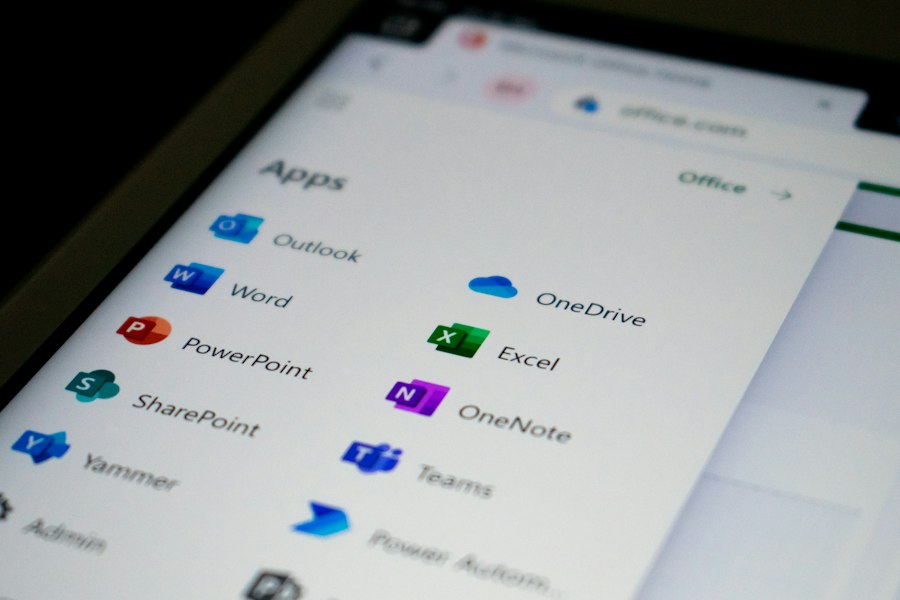
While the initial outlay for a lifetime Microsoft Office license might appear higher than a single month or even a year of a subscription, the long-term financial benefits are overwhelmingly in favor of ownership. Viewing software as an asset rather than a recurring expense reveals the true investment value of a perpetual license. This section will demonstrate how, over time, a one-time purchase leads to significant savings and a more fiscally responsible approach to essential productivity tools.
Significant Savings Over Time
Let’s do some quick math. A typical Microsoft 365 Personal subscription might cost around $69.99 per year. Over five years, that’s approximately $349.95. Over ten years, it’s nearly $700. A lifetime license for a specific version of Office (e.g., Office Home & Business 2021) might cost around $249.99. Even if you upgrade every five years to a new perpetual version, you are likely to spend less than continually subscribing. For instance, two perpetual licenses purchased ten years apart would still likely be more economical than ten years of continuous subscription. The longer you use the software, the more pronounced these savings become, making the upfront investment a highly intelligent financial decision. This cumulative saving makes the lifetime purchase an undeniable winner in the long run.
Avoiding Subscription Fatigue
The modern consumer is bombarded with subscription offers – streaming services, software, news outlets, and even physical products. This “subscription fatigue” can lead to overlooked payments, forgotten trials, and a feeling of being constantly tethered to recurring bills. Opting for a lifetime license for essential software like Office alleviates this burden. It’s one less subscription to track, one less payment to remember, and one less company to worry about billing you unexpectedly. This simplification of your digital financial landscape contributes to overall peace of mind and reduces administrative overhead, however small it may seem.
Higher Return on Investment for Businesses
For businesses, particularly small and medium-sized enterprises (SMEs) operating on tight budgets, the return on investment (ROI) for a lifetime Office license is substantial. Instead of budgeting for an ongoing operational expense, the software becomes a capital expenditure that provides lasting value. This predictability aids in long-term financial planning and allows businesses to allocate resources more effectively to other growth-oriented areas. Furthermore, the stable software environment offered by a perpetual license can reduce IT support costs associated with frequent updates and changes inherent in some subscription models, thus contributing further to overall savings and efficiency.
Stability, Compatibility, and Focused Productivity
Beyond the financial considerations, a lifetime license for Microsoft Office offers distinct advantages related to operational stability and user experience. The ability to maintain a consistent software environment, coupled with robust compatibility and a focus on core productivity, contributes to a more efficient and less disruptive workflow. This section will explore how the perpetual license fosters a stable and reliable platform for day-to-day tasks.
Consistent Software Environment
One of the lesser-discussed benefits of a lifetime license is the stability it brings to your software environment. With a subscription, automatic updates are frequent, and while often beneficial, they can sometimes introduce unexpected changes, alter user interfaces, or even cause temporary compatibility issues with existing files or custom macros. A perpetual license allows you to stick with a specific version for as long as you need, providing a consistent and predictable user experience. This is especially valuable for businesses and individuals who rely on specific workflows and configurations, where constant changes can be disruptive and lead to retraining costs or errors. You control when and if you upgrade to a newer major version.
Guaranteed Core Functionality
While subscription versions of Office might boast a continuous stream of new features, a lifetime license guarantees that you will always have access to the core, essential functionalities of Word, Excel, PowerPoint, and Outlook. These fundamental tools are often what 90% of users need for 90% of their tasks. You won’t wake up one day to find a critical feature removed or locked behind a higher-tier subscription. The version you purchase is the version you keep, complete with all its promised capabilities. This ensures that your foundational productivity needs are always met without unexpected limitations. The focus remains on robust, reliable core features, rather than a potentially overwhelming influx of minor, incremental additions.
Broader Compatibility with Legacy Files
For individuals and organizations that deal with a significant volume of legacy files created in older versions of Office, a lifetime license of a relatively current version often provides excellent backward compatibility. While subscription versions also maintain backward compatibility, the stable nature of a perpetual license means you’re less likely to encounter unexpected issues arising from continuous, potentially disruptive updates. You can rely on your chosen version to open and edit older documents consistently, reducing the risk of conversion errors or formatting glitches that can sometimes occur with rapidly evolving software environments. This ensures that your valuable historical data and documents remain fully accessible and usable.
Data Ownership, Security, and Peace of Mind
| Metric | Details |
|---|---|
| Product Name | Microsoft Office Lifetime |
| License Type | One-time purchase (perpetual license) |
| Included Applications | Word, Excel, PowerPoint, Outlook, OneNote (varies by edition) |
| Supported Platforms | Windows, Mac |
| Updates | Security updates only; no feature updates |
| Typical Cost Range | Varies by edition and region |
| Support Duration | Limited support; typically 5 years mainstream support |
| Activation | Product key activation required |
| Cloud Services | Not included; separate subscription required for OneDrive and Teams |
| Usage | Licensed for use on a single device |
In an era increasingly concerned with data privacy and security, the choice of software licensing can have significant implications. A lifetime license for Microsoft Office, especially when coupled with local file storage, offers a distinct advantage in terms of control over your data and enhanced security. This final section highlights how owning your software contributes to greater peace of mind regarding your valuable information.
Your Data Stays Yours
With a perpetual license, your documents are primarily stored locally on your device unless you actively choose to use cloud storage like OneDrive. This distinction is crucial for data ownership and privacy. While Microsoft is a reputable company, relying entirely on cloud storage for critical documents means trusting a third party with your most sensitive information. A lifetime license empowers you to keep your data primarily within your control, on your hardware, reducing the potential exposure to data breaches or unexpected policy changes from cloud providers. This level of local control gives users significant autonomy over their digital assets.
Reduced Dependence on Cloud Services
While cloud services like OneDrive and SharePoint offer undeniable collaboration benefits, a perpetual Office license allows for greater independence from them. Users can choose to use these services at their discretion rather than being implicitly pushed towards them by the software’s licensing model. For those who prioritize local storage, offline work, or simply wish to minimize their digital footprint in the cloud, a lifetime license provides the flexibility to do so without sacrificing access to essential productivity tools. This reduced dependence translates to a more resilient workflow, less reliant on external infrastructure and internet connectivity.
Enhanced Security Through Controlled Updates
While subscription models often push security updates immediately, a lifetime license for a specific version means you control when and if you apply updates (typically security patches for that specific version). This can be advantageous in environments where software stability is paramount, allowing IT departments to test updates thoroughly before deploying them across an organization. While staying updated is generally recommended for security, the controlled nature of updates with a perpetual license can provide an extra layer of security assurance by preventing unforeseen conflicts or vulnerabilities that might arise from forced, untested updates in sensitive environments. It grants the user or administrator the agency to manage their security posture proactively.
Peace of Mind and Long-Term Reliability
Ultimately, investing in a lifetime Microsoft Office license provides an unparalleled sense of peace of mind. There are no recurring bills to track, no expiration dates to worry about, and no fear of losing access to essential tools due to a forgotten payment or internet outage. It’s a foundational investment in your productivity, offering a stable, reliable, and cost-effective solution for years to come. In a world increasingly filled with subscription fatigue and digital uncertainties, the steadfast reliability of a one-time Office purchase stands out as a prudent and enduring choice.
FAQs
What is Microsoft Office Lifetime?
Microsoft Office Lifetime refers to a one-time purchase option for the Microsoft Office suite, which includes applications such as Word, Excel, PowerPoint, and Outlook. With this purchase, users can access and use the software indefinitely without the need for a subscription.
What applications are included in Microsoft Office Lifetime?
Microsoft Office Lifetime typically includes popular applications such as Word (word processing), Excel (spreadsheets), PowerPoint (presentations), and Outlook (email and calendar management). Depending on the version purchased, additional applications like Access (database management) and Publisher (desktop publishing) may also be included.
Can I install Microsoft Office Lifetime on multiple devices?
Yes, Microsoft Office Lifetime allows users to install the software on multiple devices, such as PCs, Macs, tablets, and smartphones. The number of devices allowed for installation may vary depending on the specific license purchased.
Is Microsoft Office Lifetime the same as Microsoft 365?
No, Microsoft Office Lifetime is a one-time purchase option that provides access to the Office suite indefinitely, while Microsoft 365 is a subscription-based service that offers ongoing access to the latest Office applications, cloud storage, and other features.
Are updates included with Microsoft Office Lifetime?
Yes, updates are typically included with Microsoft Office Lifetime. Users can receive security updates, bug fixes, and new features for the software as long as the version purchased is still supported by Microsoft.