Firefox 151 helps you edit PDFs – and switch OSes
Software
Export a profile on Windows, restore it on Linux. Extensions and themes too
Firefox version 151 is out of beta and trickling out to users, with
handy additions, just in case you were thinking of jumping ship from
Windows 11 to Linux.
Mozilla has officially released Firefox
151, although automatic updates are not yet happening at the time we
write this. Its profit-making subsidiary MZLA has also released Thunderbird
151, although its new-feature list has less cool new shiny.
The Firefox product announcement trumpets a “fresh new look and feel”
for the New Tab page. As we’ve already lightly customized ours, we
didn’t see that, but you know how it is – this is the sort of thing
marketing folks can understand and sound excited about. Apparently you
can customize its wallpaper and add a “Recent Activity” feed, if that’s
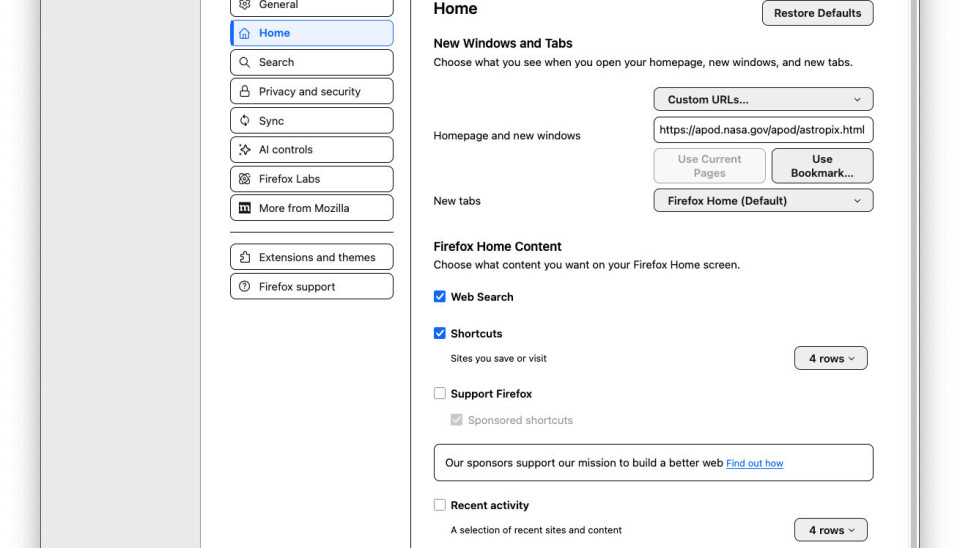
what you want. (We’ve just added a few more rows of shortcuts to recent
pages.)

A more useful function, especially if you don’t trust Firefox Sync and
you’re thinking of changing to a new OS, is improved handling of Firefox Backup, the built-in tools for backing up and restoring your profile
(or profiles, plural, for the truly hardcore). The page in the last link
hasn’t changed in the last three weeks, and it still says, “Note: Firefox Backup is currently only available
to users on Windows 10 and 11. This feature may be extended to other
platforms in future versions of Firefox.”
Well, now it has: the release notes say it works on Linux now. We’ve
also seen reports that it is now on macOS too, but not on our iMac (This
could be because we’ve been using Firefox Sync since the late
lamented Xmarks shut down). A key addition is that a profile backed
up on one OS can now be restored on a different OS, which sounds like a
significant improvement to us. This includes extensions and themes.
Last time around, we shared
the news that the PDF editor could split multipage PDFs into chunks,
including saving out individual pages. In this version, it can now merge
multiple PDFs into one, which also sounds handy. It’s the sort of
feature we rarely need, but when we do, we really need it.
Suffice to say that with recent Firefox versions, we no longer need a
standalone PDF viewer.
As well as over
30 security fixes and the usual developer
changes, this release fixes some more visible bugs: multi-monitor
handling has been improved, as has macOS integration. For instance, it
can now handle links pasted from iOS using Apple’s Universal Clipboard
feature, and dropdown menus on web pages use the native Apple menu
style.
Firefox’s Enhanced
Tracking Protection has been further – er – enhanced, and now
conceals more info about you – and much more on macOS.
Thunderbird 151 is nigh upon
us
The closest thing to a universal cross-platform messaging
client that the 21st century has to offer us so far has been updated,
too. Thunderbird
151 is rolling out, although we haven’t been offered the update
yet.
The release notes’ What’s New section only has three bullet
points, and one of those is for the not-yet-public Thundermail service,
part of Thunderbird Pro.
However, it’s easier to adjust authorization settings for
automatically-created accounts, Microsoft Exchange handling has been slightly
tweaked, and you can sort tasks by different criteria. Since our task
list is about three pages long and never seems to get any shorter, that
sounds quite handy. ®
Source: www.theregister.com…